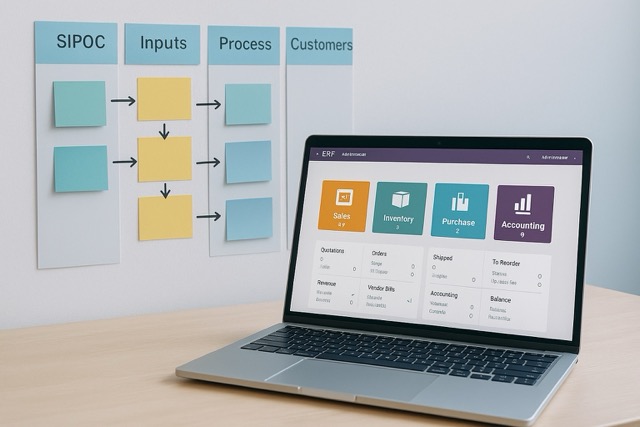
Many teams already have good flowcharts, but get stuck when it comes to ERP. The key is to transform process images into concrete data, status, and controls.
- Break down from the map to master data. From SIPOC/swimlane, pull a list of products & units, customers/suppliers, taxes, accounts, and warehouses/locations. Complete with unique codes, default units, and pricing rules; this is the foundation of single source of truth.
- Define events & statuses. Each process step = event (order created, confirmed, shipped, invoiced). Pair with document statuses in ERP (Draft → Confirmed → Done) so the team knows “who does what, when.” Add simple SLAs (e.g., SO ≤ 24 hours confirmed).
- Establish controls & access. At the handoff point, activate approval, checklists, or validation (e.g., cannot ship if stock < 0; automatic invoicing from DO). Small controls prevent large input errors.
- Measure outcomes, not just go-live. Take 3–5 metrics from core processes: order-to-cash lead time, stock accuracy, DSO/DPO, return percentage. Compare before and after configuration; iterate with PDCA.
- Simulate flows between modules, not per module. Practice the end-to-end sequence of Sales → Inventory → Purchase → Accounting. See how one transaction triggers stock movements and automatic journals; that’s the value of ERP integration.
A quick checklist before implementation: data dictionary (name + code), status mapping, approval rules, default taxes/accounts, report templates, and 3 key metrics. This way, ERP does not merely “archive” transactions, but truly flows processes.
References:
- ASQ – SIPOC: https://asq.org/quality-resources/sipoc
- Lucidchart – Swimlane Diagram: https://www.lucidchart.com/blog/swimlane-diagram
- Odoo Docs – Sales: https://www.odoo.com/documentation/17.0/applications/sales/sales.html
- Odoo Docs – Inventory: https://www.odoo.com/documentation/17.0/applications/inventory_and_mrp/inventory.html
- Odoo Docs – Purchase: https://www.odoo.com/documentation/17.0/applications/inventory_and_mrp/purchase.html
- Odoo Docs – Accounting: https://www.odoo.com/documentation/17.0/applications/finance/accounting.html